PRODUCT
Converge HCA modules
Eight modules on one workspace, in the order a month closes. The workspace itself, with the dashboard, asset register, periods, roles, audit log, imports and API, comes with any module.
First-release scope. This page describes what the first release of Converge HCA covers. Book a demo to see what is ready today.
MODULES
Every module
Field data
Daily well and facility readings, well tests and downtime, validated as they are entered.
Learn moreAllocation
Measured totals shared back to wells, fields and owners, with every factor and rule visible.
Learn moreMeasurement and metering
Liquid and tank tickets, meter proving and gas volumes, calculated in the standards’ sequence.
Learn moreInventory and terminals
A stock account for each owner at every tank, terminal and pipeline.
Learn moreLiftings and nominations
Cargoes, bills of lading, ship figures and outturn, posted to stock and balances.
Learn moreEntitlement and overlift/underlift
Partner interests, overlift and underlift, PSC barrels and PIA royalty in kind.
Learn moreMonth-end close and controls
Checklist, reconciliations, maker-checker approval and a period lock you can prove.
Learn moreRegulatory reporting
Returns and partner reports generated from the locked month.
Learn more

ONSHORE AND OFFSHORE
One workspace for every facility.
Fields, facilities, terminals and pipelines sit in one asset register, with the network as it stood on each date.
WORKSPACE
Included with every module
The ground every module stands on.
- TodayThe day of the close, the blocking step and its owner, missing readings and open exceptions.
- Assets and networkFields, facilities, wells, meters, tanks and pipelines, with effective dates.
- Periods and locksOpen, soft-closed, locked, and reopened only with approval.
- Audit logEvery change with before and after, who, when, why and from what source.
- RolesPermissions per module and per action: enter, approve, lock, reopen.
- UnitsField and SI units, both base conditions, exact conversions.
- ImportsCSV and pasted spreadsheet ranges, with a mapping preview.
- APIREST and MCP access to every record and calculation.
FIELD DATA
Readings checked as they arrive
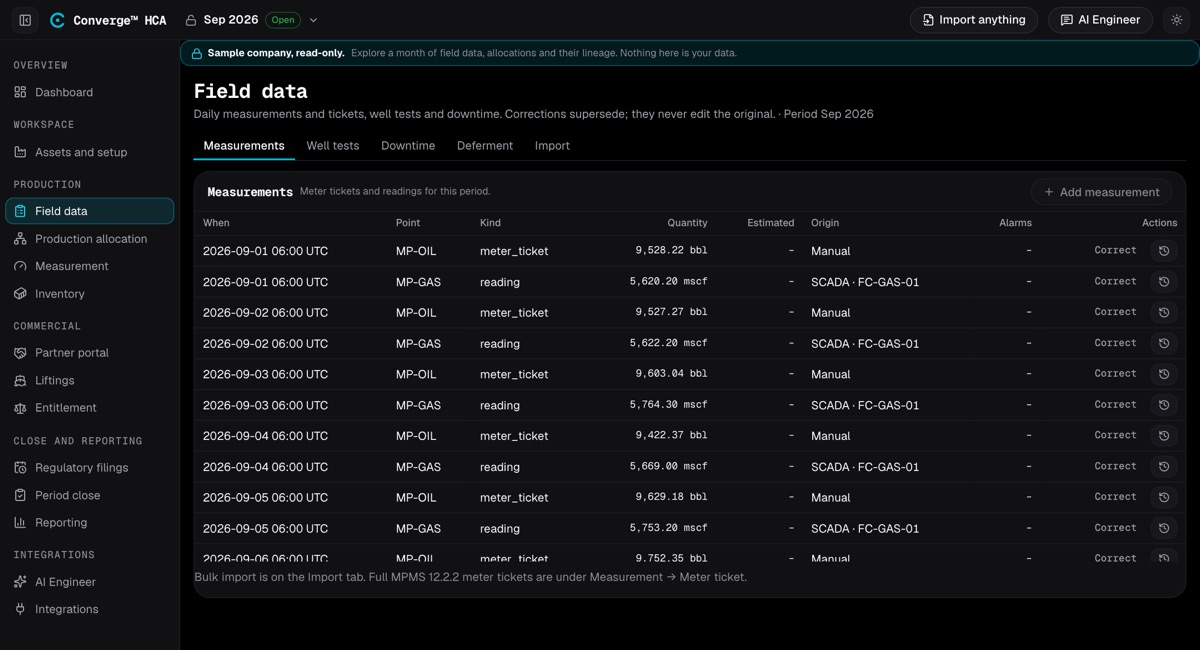
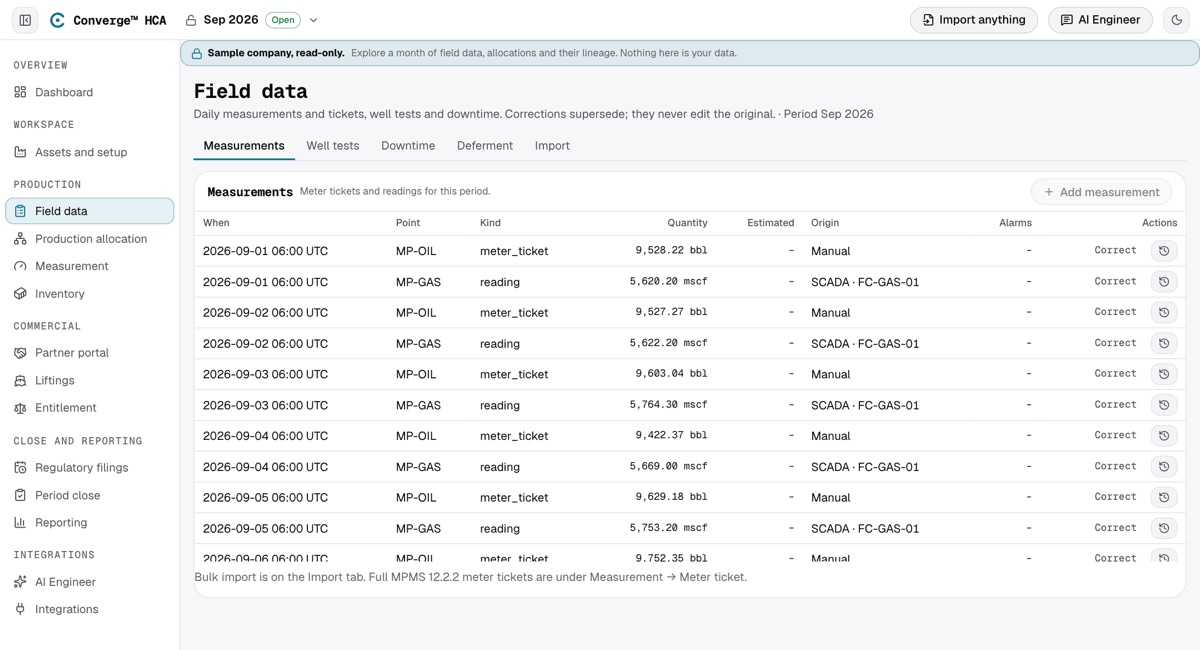
Field data is where the month starts. Daily well and facility readings go into one entry grid, and validation rules catch problems on the day they happen, each with a severity and an owner, instead of at month-end.
Well tests are kept in a register with stability criteria and a validity window, so allocation only uses tests that were stable and current. Downtime carries a code and the volume deferred.
In the first release
- Daily entry grid: hours on, chokes, pressures and tank gauges
- Validation for range, rate of change, missing, frozen and duplicate values
- Hours greater than the period flagged
- Each exception with a severity and an owner
- Well test register with stability criteria
- Downtime and deferment codes with deferred volume
FIELD CAPTURE
Readings from the field, even offline
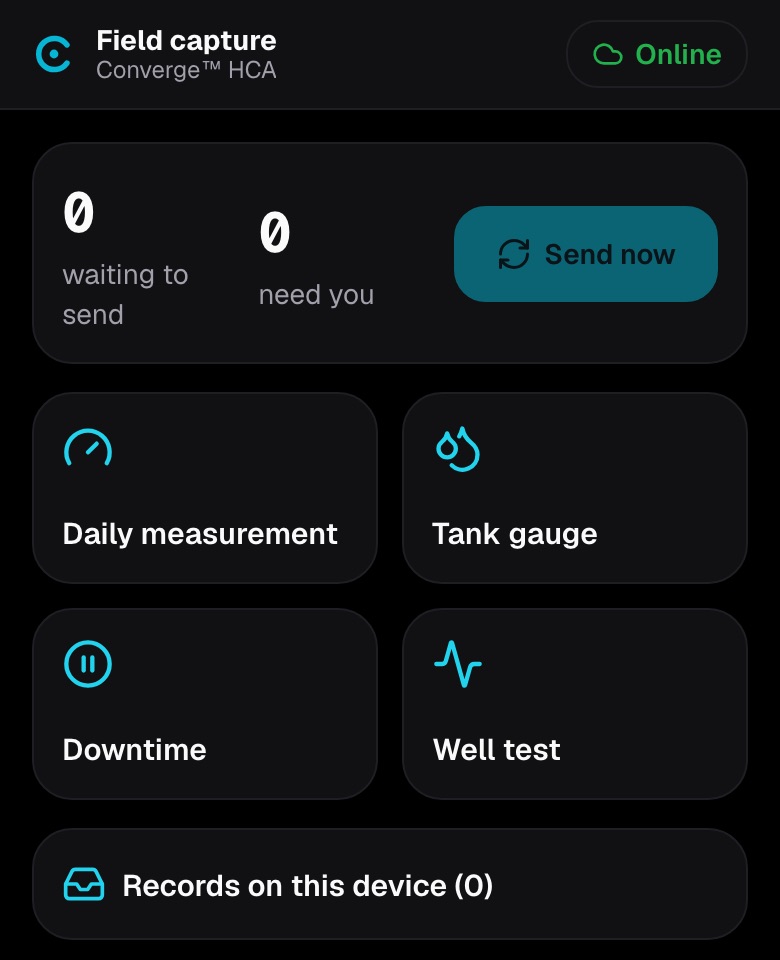
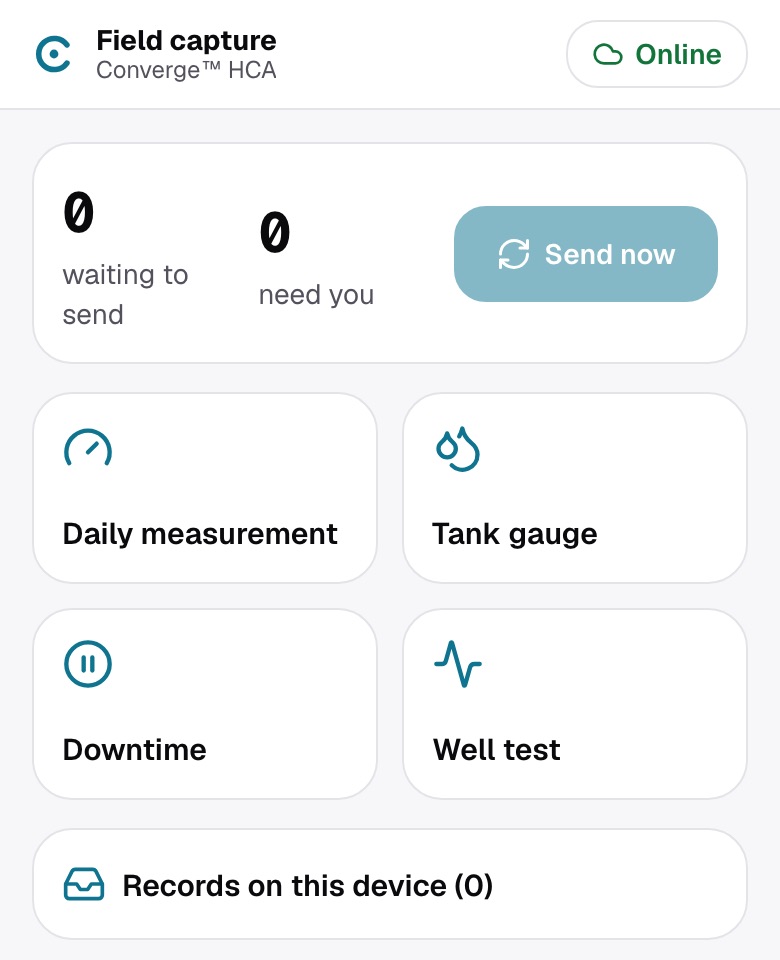
Field staff record daily measurements, tank gauges, downtime and well tests on a phone or tablet. The field page installs from the browser and opens without a connection after one visit online.
Each record is saved on the device first, so it survives a reload or a flat battery, and is sent when the connection returns, oldest first. Each record carries its own key, so one sent twice is stored once. The server applies the same validation and period locks as the office screens, and a record it cannot accept is marked as needing you, never dropped.
PARTNER PORTAL
A portal for your joint-venture partners
Invite read-only users for each partner. They see only their own statements, ledger entries, liftings, nominations, working interests and allocation share, for closed months unless you also show months in review.
Partners download a statement CSV, an Excel workbook or an audit ZIP with a SHA-256 fingerprint for each file, and raise a query or a dispute on a statement line, a lifting or their allocation share. Your team answers in the same thread.
AI ENGINEER
AI Engineer
Ask about your periods, allocations and balances in plain language. The AI Engineer reads your records with your permissions, runs the calculations and explains the results.
Is the allocation factor this month within the band?
read allocation run 2026-09-21 · MP-OIL · basis well_test
check: factor 0.6254 against band 0.90–1.10
No. The September factor is 0.6254, outside the 0.90–1.10 band. Check the fiscal meter, stale well tests and missing downtime before you finalise. I have drafted a flag on the run for you to review.
What it does
- Reads periods, close status, reconciliations, allocation runs, inventories, liftings, entitlements, measurements and adjustments
- Runs ticket, temperature correction, allocation, entitlement, proving, tank and reconciliation calculations
- Drafts a meter factor, a reconciliation explanation, a record correction or an allocation flag for you to preview and apply
- Reads files you attach
- Teaches the product with guided walkthroughs, from the month-end close to inventory
- Never closes, locks, approves or reopens a period
API AND INTEGRATIONS
REST, MCP and scripts
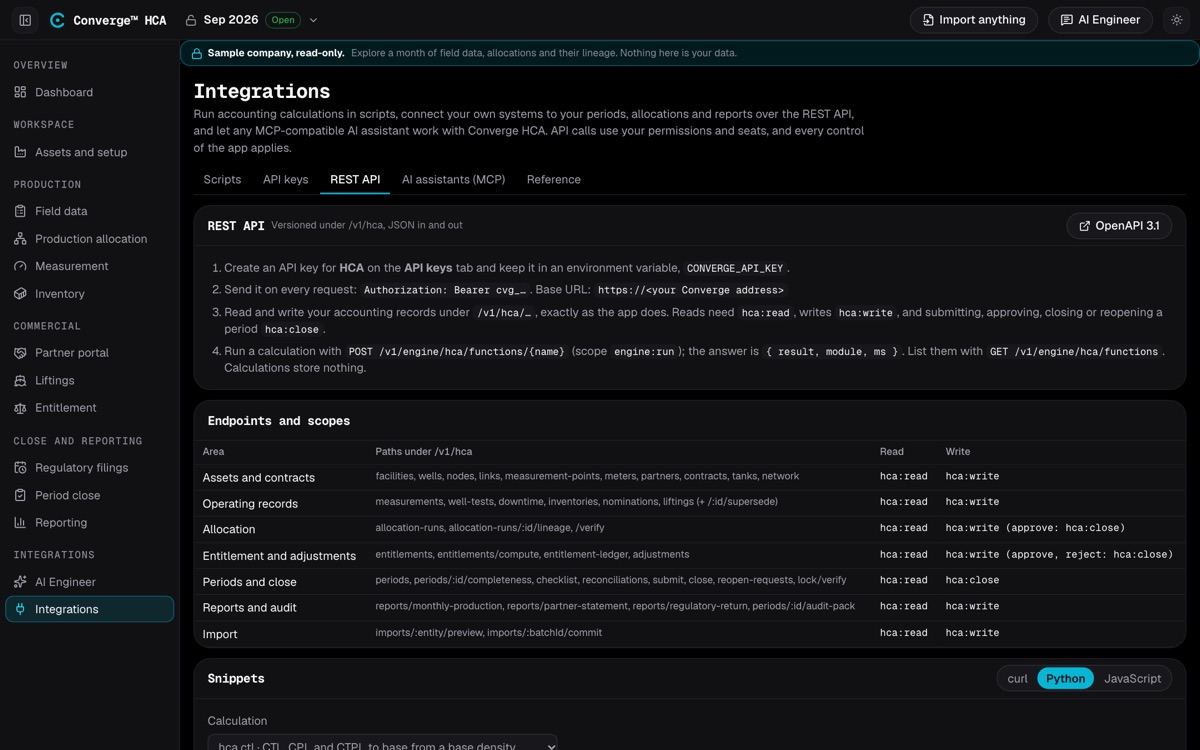
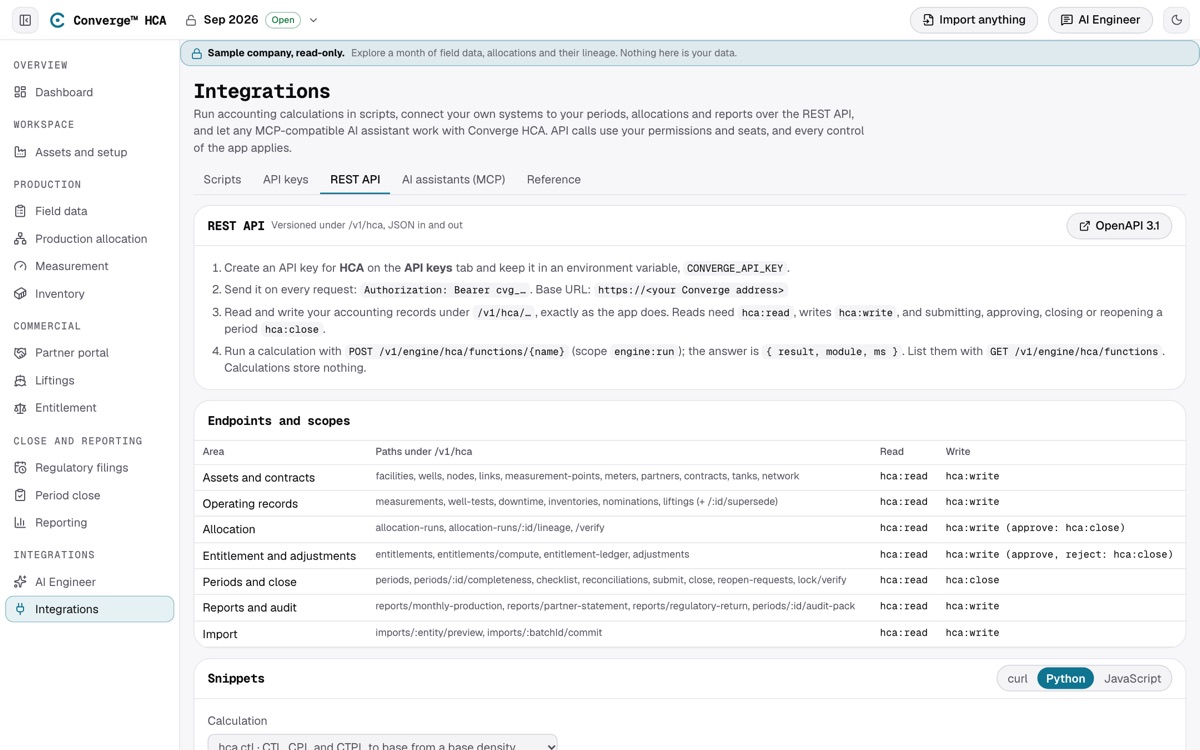
An API key acts as the member who made it, under the same period locks and approval rules, with every change audited. Keys are scoped to read, write or close, and calculations run under a scope of their own. Writes accept an idempotency key.
AI assistants connect over MCP with read, write and close tools that follow the same scopes, and sandboxed scripts run calculations with no network access.
LATER RELEASES
Planned after the first release
Listed so you can plan around them. None of these is in the first release.
- Flare, vent and fuel accounting, with Nigerian flare payments
- Nominations and the lifting programme
- Connectors for SCADA systems and historians
- Flow-computer record import and recalculation checks
- Mass and component allocation with recovery factors from Converge IOMT